
Gia's Giraffes for Slack
Add Gia's Giraffes to Slack: gift claims, deliveries, thank-yous and meetings post to one channel you pick, and /gift sends a gift from any channel through your own account.
4 min readUpdated
Gia's Giraffes sends real gifts from independent brands that recipients choose for themselves. The Slack app brings that into your workspace: gift activity posts to a channel you pick, and /gift sends a gift without leaving Slack. Setup takes about a minute.
Quick answer: what the Slack app does
- Posts gift activity to one channel: a GG Link claimed, a gift delivered, a thank-you note or video, and a meeting booked or canceled. You choose which of these post.
- Sends gifts with /gift: type
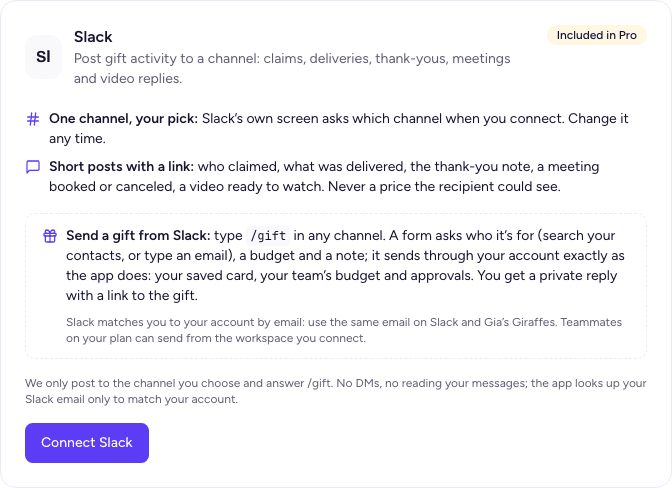
/giftin any channel, pick a contact or type an email, choose a budget and add a note. It goes out through your own Gia's Giraffes account, with your card, team budget and approvals. - Never shows prices to recipients, and never posts a recipient's address.
The Slack app is part of Gia's Giraffes Pro ($19.99 per user per month, 14-day free trial).
What you need
- A Slack workspace where you can add apps.
- A Gia's Giraffes account on Pro. On a team, the team's owner or an admin adds Slack for everyone.
- For /gift, the same email on Slack and on Gia's Giraffes.
Add to Slack
- Click Add to Slack above, or open Settings → Integrations in Gia's Giraffes and click Connect Slack.
- If you don't have a Gia's Giraffes account yet, sign up; you come straight back. On Free, start the Pro trial from the note on the Slack card.
- Slack asks which channel to post to and shows what the app can do. Pick a channel and click Allow.
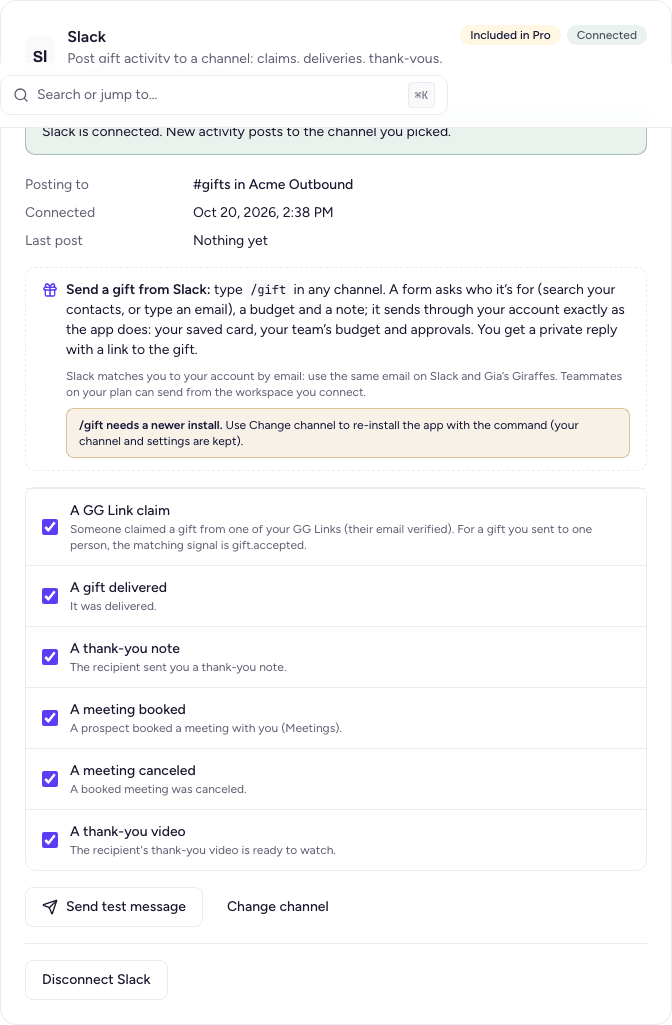
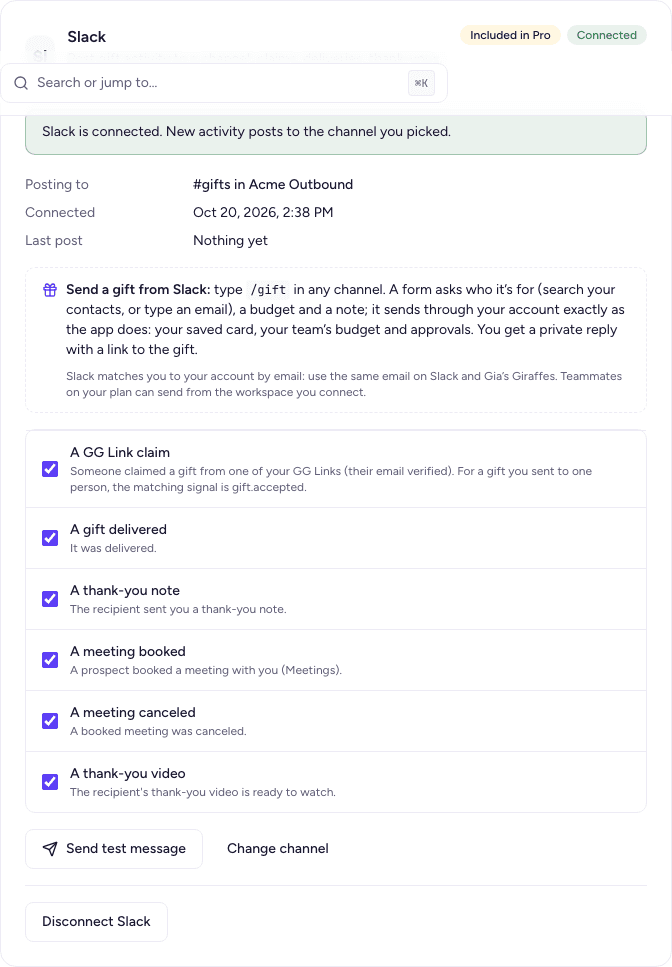
- You land on the Slack card in Settings → Integrations, marked connected, with every event on. Click Send test message to see a post in your channel.
What the app asks Slack for, and why
| Permission | Why |
|---|---|
| Post to a channel you choose (incoming webhook) | Post gift activity to that one channel. Nothing else is posted anywhere |
| Slash commands | The /gift command |
| View people in the workspace, and their email addresses | Match the person typing /gift to their Gia's Giraffes account, by the email they use on both. We never message or email anyone from this list |
The app doesn't read messages or channels, and doesn't send direct messages.
Choose what posts
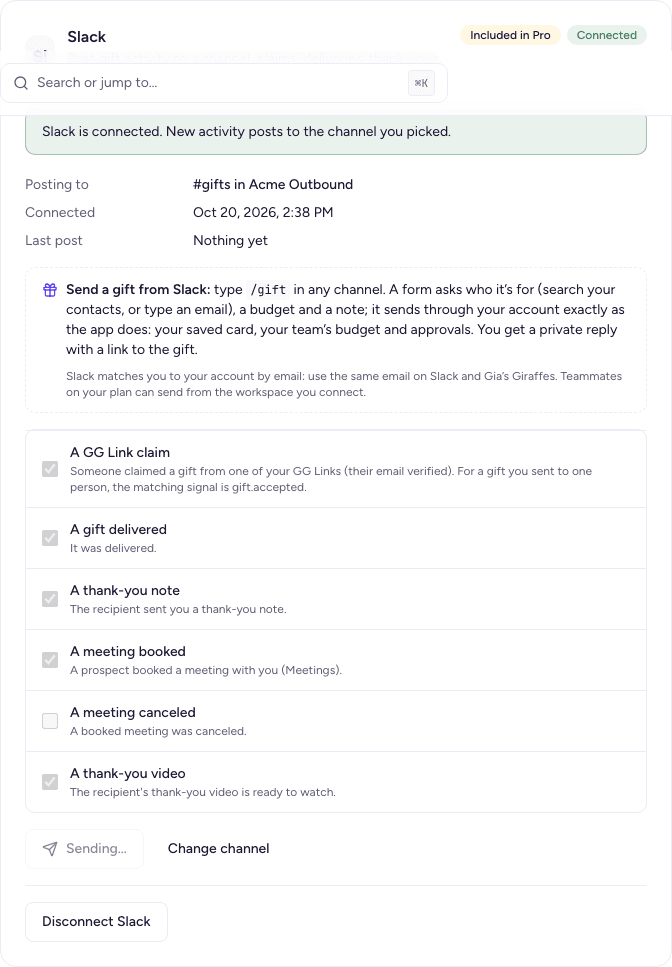
On the connected Slack card, switch each event on or off: GG Link claimed, gift delivered, thank-you received, video reply received, meeting booked and meeting canceled. Change channel sends you back to Slack to pick another channel; your choices are kept.
Each post shows who it's about, the gift link or campaign, and a button that opens it in Gia's Giraffes. Test gifts post with a [Test] label, and only to a test account's channel.
Send a gift with /gift
- Type
/giftin any channel of the connected workspace. - In the form that opens, search your contacts by name, company or email, or type an email and a name.
- Pick a budget (the recipient chooses a gift up to that amount), add a note if you like, and click Send.
- Slack shows only you a confirmation, with a button to open the gift. A team approval or a problem (for example, no card on file) is explained in the same reply.
If Slack says to connect your account, sign in to Gia's Giraffes with the same email as your Slack account. On a team, teammates can use /gift once the team has added Slack.
Remove the app
- From Gia's Giraffes: Settings → Integrations → Slack → Disconnect. Posting and
/giftstop, and the stored Slack access is deleted. Slack still lists the app until a workspace admin removes it. - From Slack: remove Gia's Giraffes from your workspace's installed apps. Slack tells us right away; we delete that workspace's connection, its stored access and its post history, and your account's owner sees a note in the bell.
You can add it again any time.
Your data
- From Slack we store the workspace and channel names, the channel's posting address and the app's access token (both encrypted in a secrets vault), and, for people who use
/gift, their Slack user id, name and email so we can recognize them next time. - We keep 30 days of post history so you can see what was delivered.
- All of it is deleted when you disconnect or remove the app from Slack. To delete your Gia's Giraffes account and everything in it, email hello@giasgiraffes.com. Our privacy policy has the details.
FAQ
- Do I need Pro?
- Yes. Slack posts and /gift are part of Pro, which has a 14-day free trial. If you downgrade, posting pauses and your channel choice is kept.
- Does the app read our messages?
- No. It can't read messages or channels. It posts to the one channel you chose and answers /gift.
- Who can use /gift?
- Anyone in the workspace whose Slack email matches a Gia's Giraffes account that added this workspace, or a teammate on that account's team.
- Where do I get help?
- Email hello@giasgiraffes.com, or use the contact page.
Ready to connect your tools?
Start free. Integrations, AI tools and the meeting option are part of Gia’s Giraffes Pro.