
Video messages: record a hello with your gift
Add a short video message to a Gia's Giraffes gift: what Free and Pro include, how to record or upload, length and size limits, thank-you video replies, watch to claim, what recipients see, in-app browser tips, moderation and reporting, and how long videos are kept.
6 min readUpdated
You can add a short video to a gift you send. Record it in the browser or upload one you already have. The recipient sees it when they open the gift, and they can send a thank-you video back.
Quick answer: what Free and Pro include
Both plans include video messages. Pro gives you longer videos and more places to use them.
| Free | Pro | |
|---|---|---|
| Video on a one-to-one gift | Yes, one per gift | Yes, one per gift |
| Longest video | 60 seconds | 3 minutes |
| Largest file | 200 MB | 600 MB |
| Video on a GG Link or an automation | No | Yes |
| Save videos to reuse | No | Yes |
| Watch the video to claim | No | Yes |
| Uploads you can start | 10 a day | 50 a day (200 per 30 days) |
| Thank-you video replies from recipients | Yes | Yes |
| Before you can add a video | A verified email and a saved payment method | A verified email |
Deleted and re-recorded videos count toward the daily limit.
How to add a video to a gift
- Start a gift from Send a gift, pick who it's for and what you're sending.
- On the Message step, choose Add a video message.
- Tick the box to agree to the video message terms. Recording and uploading stay off until you do.
- Choose Record a video or Upload a video.
- Watch it back. Choose Use this video, or record again.
- Leave Allow a thank-you video reply ticked if you'd like one back.
- Send the gift as usual.
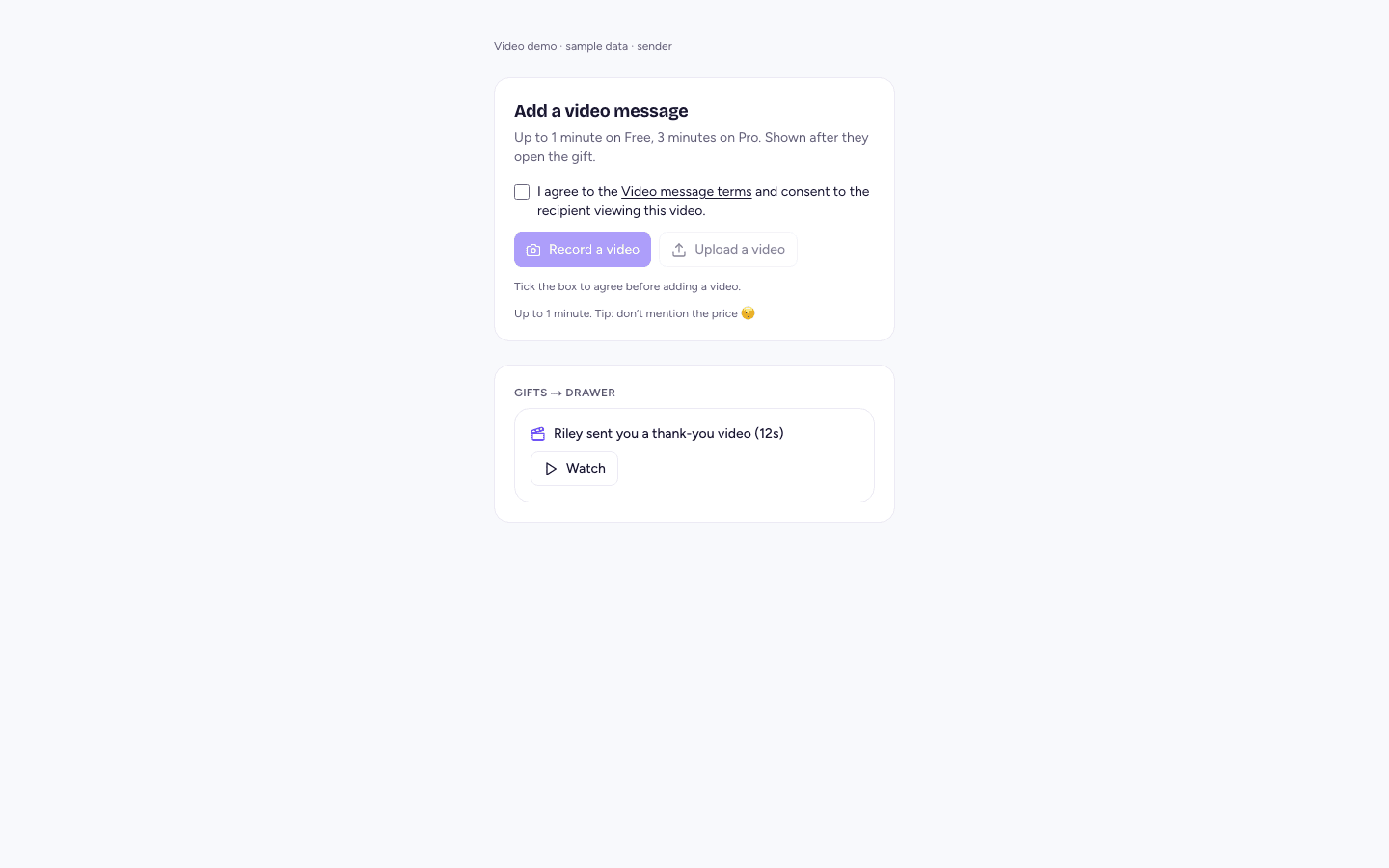
Recording. Your browser asks to use your camera and microphone the first time. After a 3-2-1 countdown, a timer shows how long you've recorded and how long is left. Recording stops by itself at your plan's limit. The front camera is used unless you tap Flip.
Uploading. MP4, MOV and WebM files work, including videos straight from a phone's camera roll.
A tip: recipients never see what a gift cost, so don't say the price in your video. It's a suggestion, not a rule, and we don't scan videos for prices.
The invite email says that the gift includes a video message. The video itself plays only on the gift's page.
Thank-you video replies
The person who receives your gift can send you one thank-you video, up to 60 seconds.
- The recipient can record or upload it once they've accepted the gift, or chosen one if you let them choose.
- You can turn replies off for a gift by unticking Allow a thank-you video reply.
- When a reply arrives, you get a notification. Watch it from the gift's details on Gifts.
- It plays only in your account. There's no download button.
Watch the video to claim (Pro)
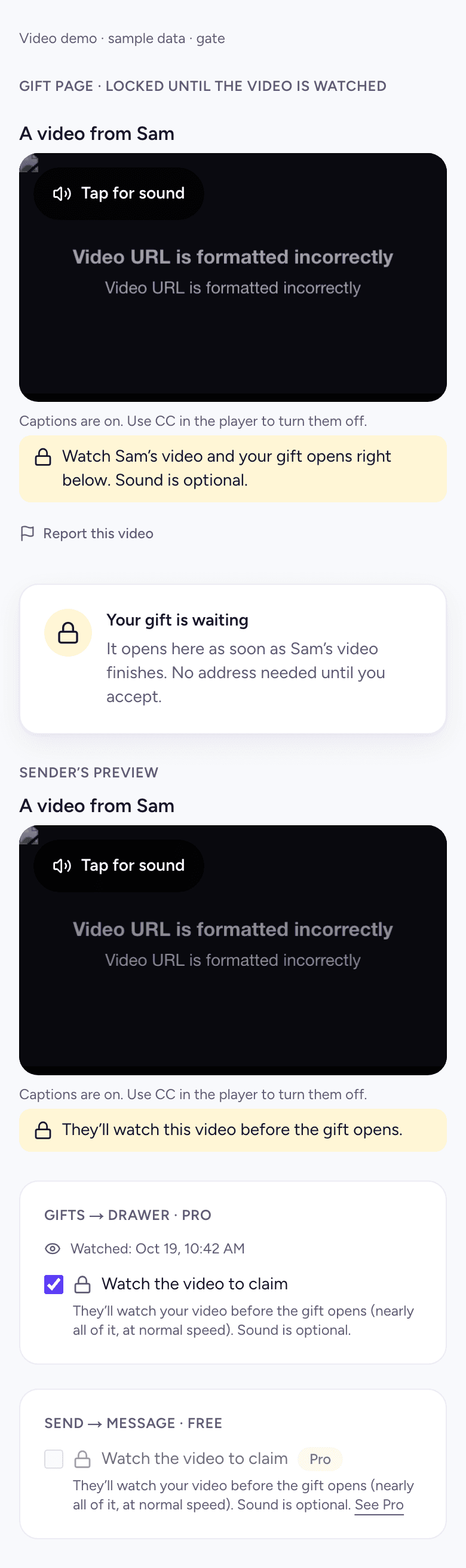
With Watch the video to claim on, the gift stays locked until the recipient has watched your video.
- They need to watch nearly all of it at normal speed: 80% of a video 15 seconds or longer, or the whole of a shorter one. Skipping ahead doesn't count.
- Sound is optional, so they can watch with captions.
- If the video is still processing or being reviewed, the gift isn't locked. A delay on our side never blocks your recipient.
- It applies only while your account is on Pro.
What your recipient sees
- They open the gift from the email, text or link.
- Your video plays muted with captions on. Tap for sound turns the sound on.
- If the video is still processing, they see that a video from you is on its way. It appears as soon as it's ready.
- Below the video is the gift, then Accept and choose where to send it.
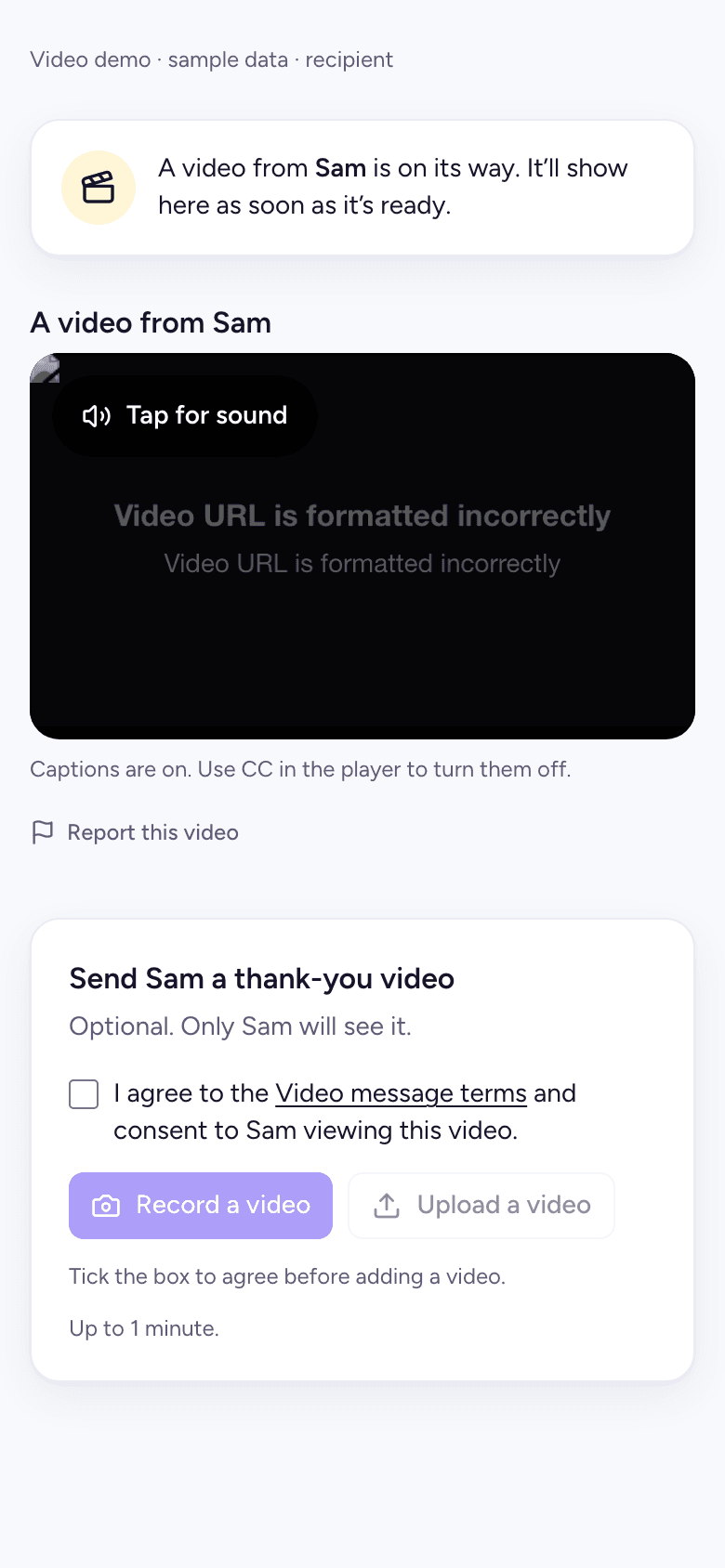
Captions are made automatically from the speech in the video, in English. They turn speech into text and don't identify who is speaking.
Videos play only from the gift's private page, through a link that expires. There's no download button, though we can't stop someone recording their screen.
Recording inside Instagram, LinkedIn and other apps
Links opened inside Instagram, Facebook, LinkedIn, TikTok and similar apps open in the app's own browser, where the camera isn't reliable. There:
- Record a video is hidden. Upload a video still works.
- On Android, tap Open in Chrome to open the same page in Chrome, where recording works.
- On iPhone, tap Copy link, then paste it into Safari.
This applies to you as a sender and to recipients sending a thank-you video. Links opened from Gmail on Android open in Chrome, so recording works there.
If your camera is blocked, allow it in your browser's site settings (the icon next to the address), then try again. Recording needs a secure page, which every Gia's Giraffes page is.
Moderation and reporting
An automated check looks at sampled frames of each video for sexual and violent content.
- If the check flags a video, it's hidden right away and a person on our team reviews it.
- Recipients can report a video with Report this video. A reported video is hidden from them at once and reviewed.
- Hidden videos aren't deleted automatically. After review we show the video again, remove it, or report it as the law requires.
- If your video is under review, your Gifts page says so. If it's removed, you'll see that too.
- Anyone can ask us to remove an intimate image of them shared without consent by writing to hello@giasgiraffes.com. We act within 48 hours.
Videos must not include anyone under 18 without their parent's or guardian's permission. The full rules are in our Terms, and what we collect is in our Privacy Policy.
How long videos are kept
| Video | Deleted |
|---|---|
| On a one-to-one gift | 90 days after the gift is accepted or expires |
| On a gift that's cancelled | Within the hour |
| On a GG Link or an automation (Pro) | 90 days after the link or automation is closed or deleted and its last gift is complete |
| A thank-you video | On the same schedule as its gift |
| Recorded but never sent | After 24 hours |
You can delete a video sooner yourself. If the law requires us to keep a video, for example after a report to NCMEC, we keep it securely for as long as required and then delete it.
FAQ
- Can I add a video to a gift on the Free plan?
- Yes. On Free you can add one video of up to 60 seconds to each one-to-one gift. You need a verified email address and a saved payment method first.
- How long can a video message be?
- Up to 60 seconds on Free and up to 3 minutes on Pro. A thank-you reply can be up to 60 seconds.
- Can I upload a video instead of recording one?
- Yes. Upload an MP4, MOV or WebM file up to 200 MB on Free or 600 MB on Pro.
- Why can't I record inside Instagram or LinkedIn?
- In-app browsers don't give reliable camera access, so recording is hidden there. Tap Open in Chrome on Android, or copy the link into Safari on iPhone. Uploading still works in the app.
- Does the recipient need an account to watch the video?
- No. They watch it on the gift's page from the link you send.
- Can recipients download my video?
- No. There's no download button, and the video plays only from the gift's private page.
- Can the recipient send a video back?
- Yes. Once they accept the gift they can send you one thank-you video of up to 60 seconds, unless you turned replies off for that gift.
- What is watch to claim?
- A Pro option that keeps the gift locked until the recipient has watched nearly all of your video at normal speed. Sound is optional.
- Are videos checked for harmful content?
- Yes. An automated check looks for sexual and violent content, and recipients can report a video. Flagged or reported videos are hidden while a person reviews them.
- Do you use my video to train AI or for advertising?
- No. We don't use your video for advertising or to train AI models. See our Privacy Policy for how our video provider handles it.
- How long do you keep my video?
- Usually 90 days after the gift is accepted or expires, sooner if you delete it or cancel the gift.
- Is the price ever in the video message?
- Only if you say it. Recipients never see what a gift cost, so we suggest you don't mention it.
Ready to connect your tools?
Start free. Integrations, AI tools and the meeting option are part of Gia’s Giraffes Pro.