
Gia’s Giraffes for Chrome
Insert a one-time gift link into any message you’re writing: Gmail, Outlook, LinkedIn, HubSpot and sales tools.
What it does in Chrome
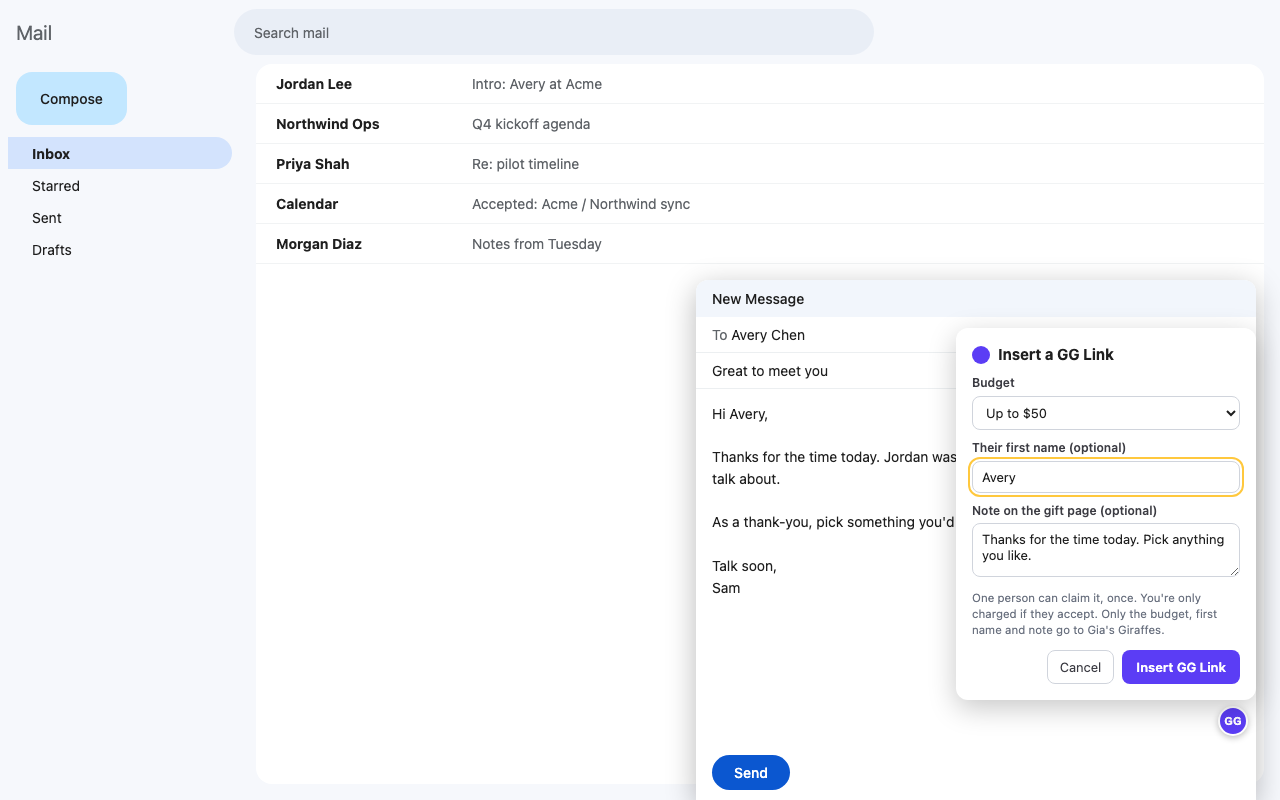
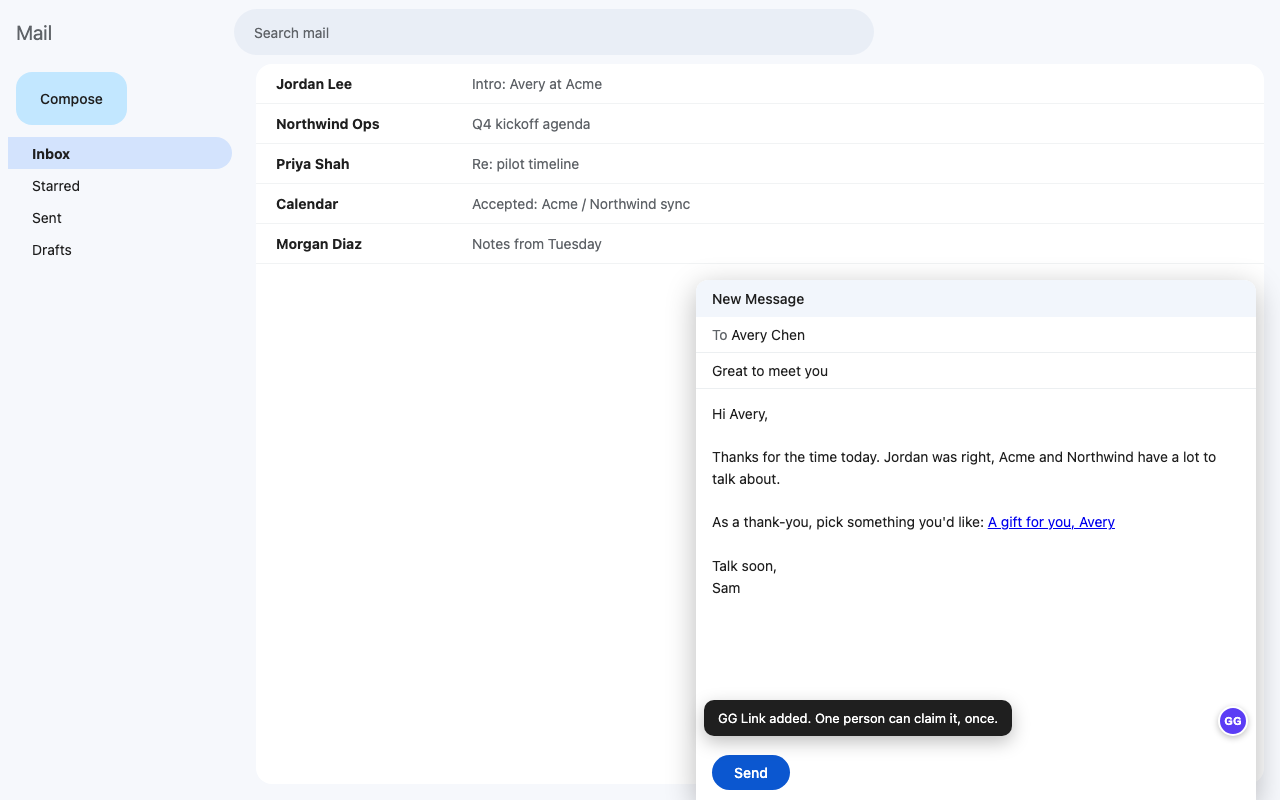
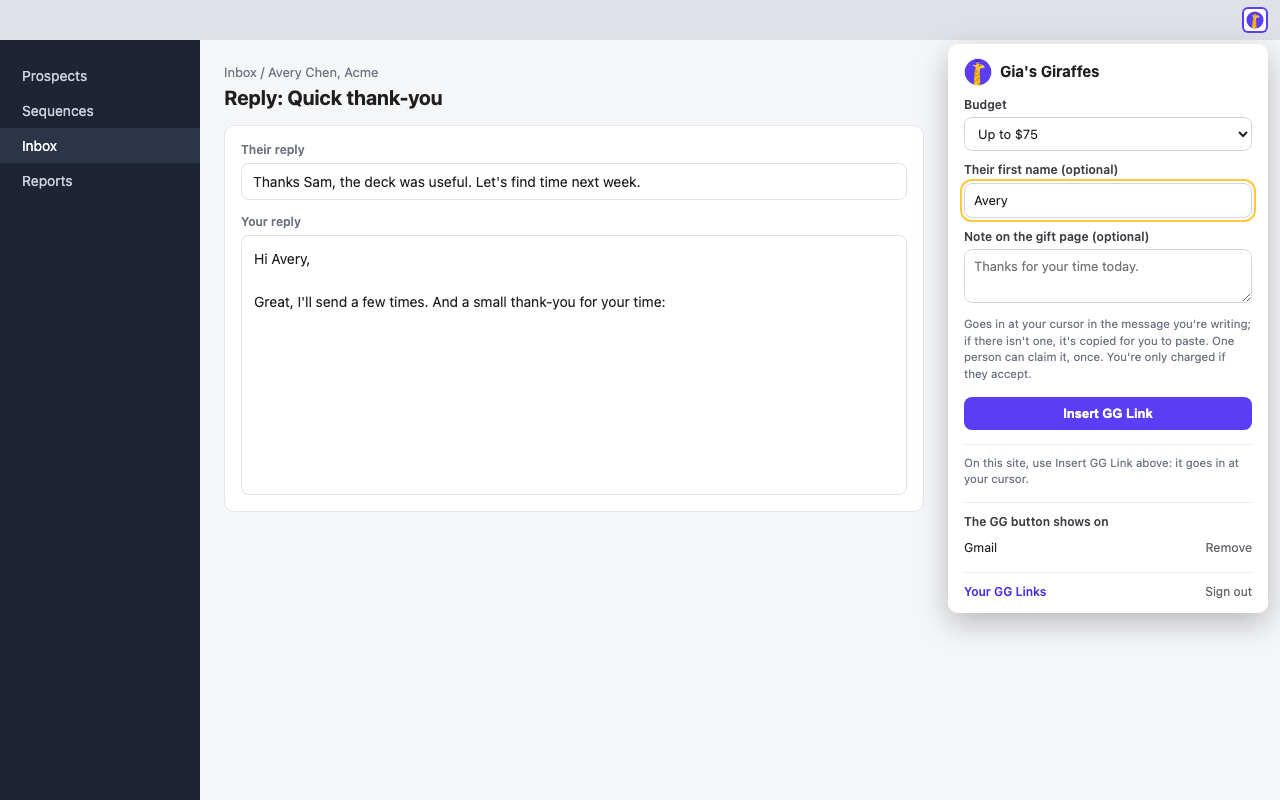
Turn any message into a thank-you. Click the Gia’s Giraffes icon in your toolbar while you write, pick a budget, add their first name, and a GG Link goes in at your cursor: “A gift for you, Avery”. They choose a gift they actually want, and you’re only charged if they accept.
- Anywhere you write messages: click the toolbar icon and the link goes in at your cursor. If an editor won’t take it, it’s copied for you to paste.
- On Gmail, Outlook, LinkedIn messages, HubSpot, Pipedrive, lemlist, Instantly, Apollo, Smartlead and Reply.io, turn on the GG button for a site and it sits next to the message you’re writing there.
- In LinkedIn messages, a GG Link button sits in the message box you’re typing in. It touches only that box, nothing else on the page.
- In Gmail, Gift this person sits beside an open email. Click it to pick someone from the email’s From and To lines, then send them a gift (Gia’s Giraffes opens with their name and email filled in) or make a one-time GG Link for them.
- Each link is for one person and works once. It’s saved in your Gia’s Giraffes account with the rest of your GG Links.
- It never reads, stores or sends your messages, and never sends anything for you. Only the budget, first name and note you type are sent to create a link; Gift this person reads only the names and addresses on the email’s From and To lines, when you click it.
Set it up
Install it from the Chrome Web Store. It never reads your messages or the pages you visit, apart from the From and To lines when you click Gift this person in Gmail.
- Add Gia’s Giraffes: GG Links to Chrome from the Chrome Web Store.
- Click its toolbar icon and sign in on giasgiraffes.com. The extension never sees your password.
- Start a message, click into it, then click the toolbar icon. Pick a budget, add their first name and an optional note, and click Insert GG Link.
- Optional: choose “Always show the GG Link button” for a site. Chrome asks you to allow that one site, and you can remove it from the popup any time.
The extension needs Gia’s Giraffes Pro. Inserting a link needs a saved card; you’re charged only if they accept.
Pro is $19.99 per user per month.
Start with a 14-day free trial. The gifts you send are priced separately, all-in.
Chrome questions
Does it read my email or the pages I visit?
No. It never reads, stores or sends your messages or the pages you visit. The one exception is Gift this person in Gmail: when you click it, it reads the names and email addresses on that email’s From and To lines, so you can pick who it’s for. Nothing is saved. Only what you choose or type (the person, budget, first name and note) goes to us.
Does it read LinkedIn profiles?
No. On LinkedIn it only adds a GG Link to the message box you’re typing in. It doesn’t read profiles or anything else on the page.
Can I use it in a sequence step that goes to many people?
Each link works once, for one person. For a sequence, use a Prospect CSV with a gg_link column instead, so each person gets their own link.
Which sites get the GG button?
Only the ones you turn it on for, one at a time: Gmail, Outlook, LinkedIn, HubSpot, Pipedrive, lemlist, Instantly, Apollo, Smartlead and Reply.io. The toolbar icon works anywhere.
How do I disconnect it?
Sign out from the toolbar popup, revoke it in Settings → Developers → AI tools, or remove it from Chrome.
Gift from Chrome
Start free. Integrations and AI tools are part of Gia’s Giraffes Pro, and you only pay for gifts that are accepted.