
Gia’s Giraffes for ChatGPT
Find a gift and draft it in ChatGPT, then approve it on giasgiraffes.com.
What it does in ChatGPT
Ask ChatGPT for a thank-you and it handles the rest. With Gia’s Giraffes connected, ChatGPT finds a gift and drafts it, then gives you a link to approve it on giasgiraffes.com. Recipients never see a price, and your spending limits always apply.
- Find gifts: search the catalog by budget, occasion and category, and see what’s inside and how fast it ships.
- Know who’s who: search your Gia’s Giraffes contacts, see what you’ve sent someone before, and list upcoming birthdays, anniversaries and meetings from a calendar you connected in Gia’s Giraffes.
- Draft gifts safely: ChatGPT shows a full summary (recipient, gift or budget, note, the most it can cost and the card). It never sends or charges. You approve each gift on giasgiraffes.com.
- Draft GG Links to create on giasgiraffes.com, and check on gifts and spend: sent, opened, accepted, shipped, delivered, and what your gifting cost over a period.
- ChatGPT never sees your card, and there’s no card setup in ChatGPT. Cards are added only on giasgiraffes.com, and a gift is charged only if it’s accepted.
Connect ChatGPT
Add it in ChatGPT as a custom connector (Developer mode) now. A listing in ChatGPT’s app directory isn’t live yet.
- In ChatGPT, open Settings → Apps & Connectors (or Connectors). Under Advanced settings, turn on Developer mode. On a business workspace, an admin may need to allow it first.
- Choose Create (or Add custom MCP server).
- Name it Gia’s Giraffes, paste the server URL
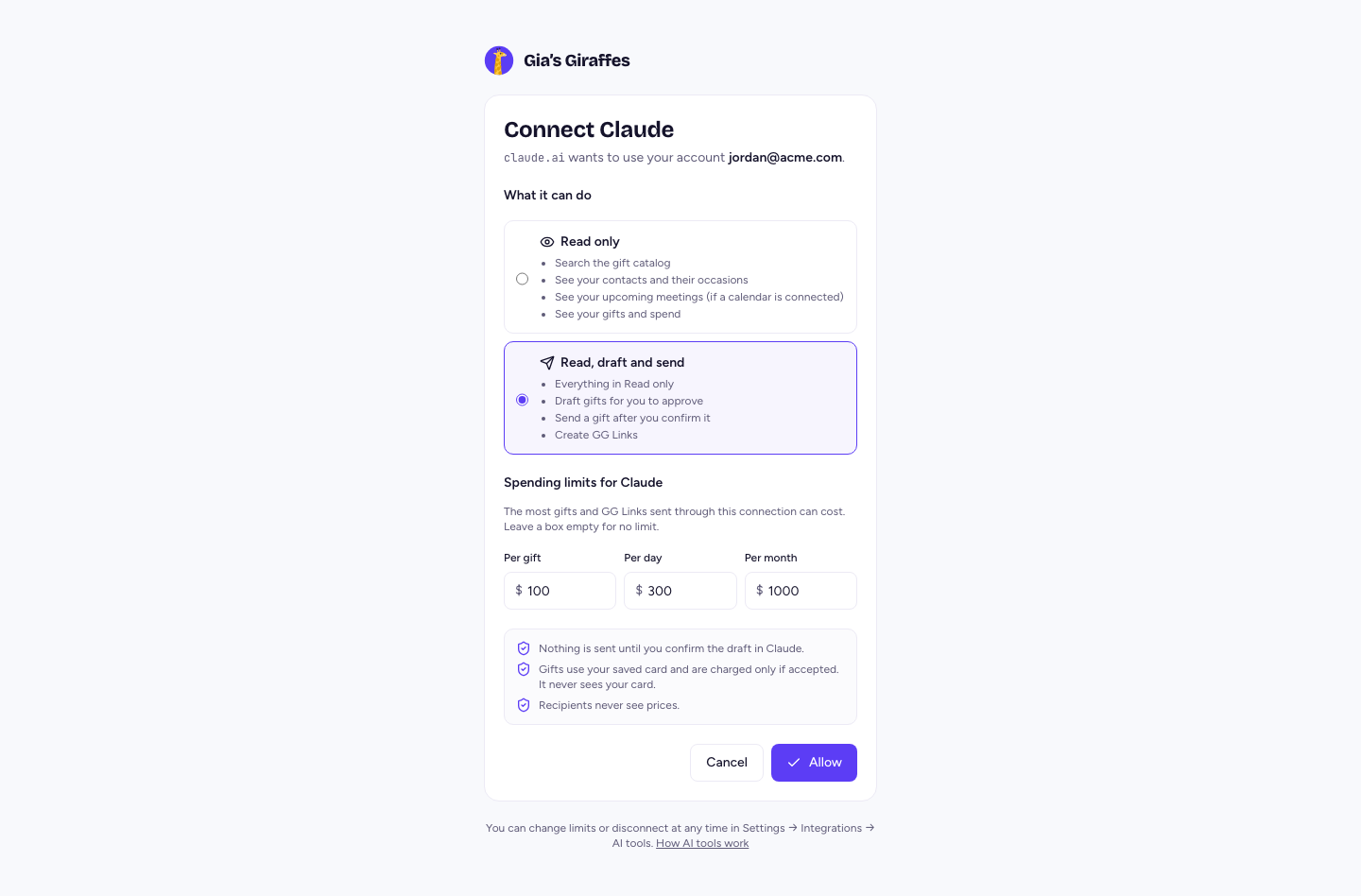
https://www.giasgiraffes.com/api/mcp, and choose OAuth. Leave any client ID and secret empty: our server registers ChatGPT itself. - Choose Create, sign in to Gia’s Giraffes on our consent screen, choose what ChatGPT can do and its spending limits, and choose Allow.
- In a new chat, turn it on from the tools menu and try: “Find a thank-you gift under $50”.
AI tools are part of Gia’s Giraffes Pro. Approving a gift needs a card saved on giasgiraffes.com; it’s charged only when a gift is accepted.
Pro is $19.99 per user per month.
Start with a 14-day free trial. The gifts you send are priced separately, all-in.
ChatGPT questions
Can ChatGPT send a gift without asking me?
No. ChatGPT can’t send gifts. It drafts the gift and gives you a link; you review the recipient, gift, note and the most it can cost on giasgiraffes.com and send it from there.
Does ChatGPT see my card?
No, and there’s no card setup in ChatGPT. You add a card on giasgiraffes.com. If you haven’t saved one, the approval page links to it.
Which ChatGPT plans can connect it?
Custom connectors need Developer mode, and which plans have it, and whether they can use tools that draft, changes over time. If you can’t find Developer mode, check your plan’s settings or ask your workspace admin.
How do I disconnect?
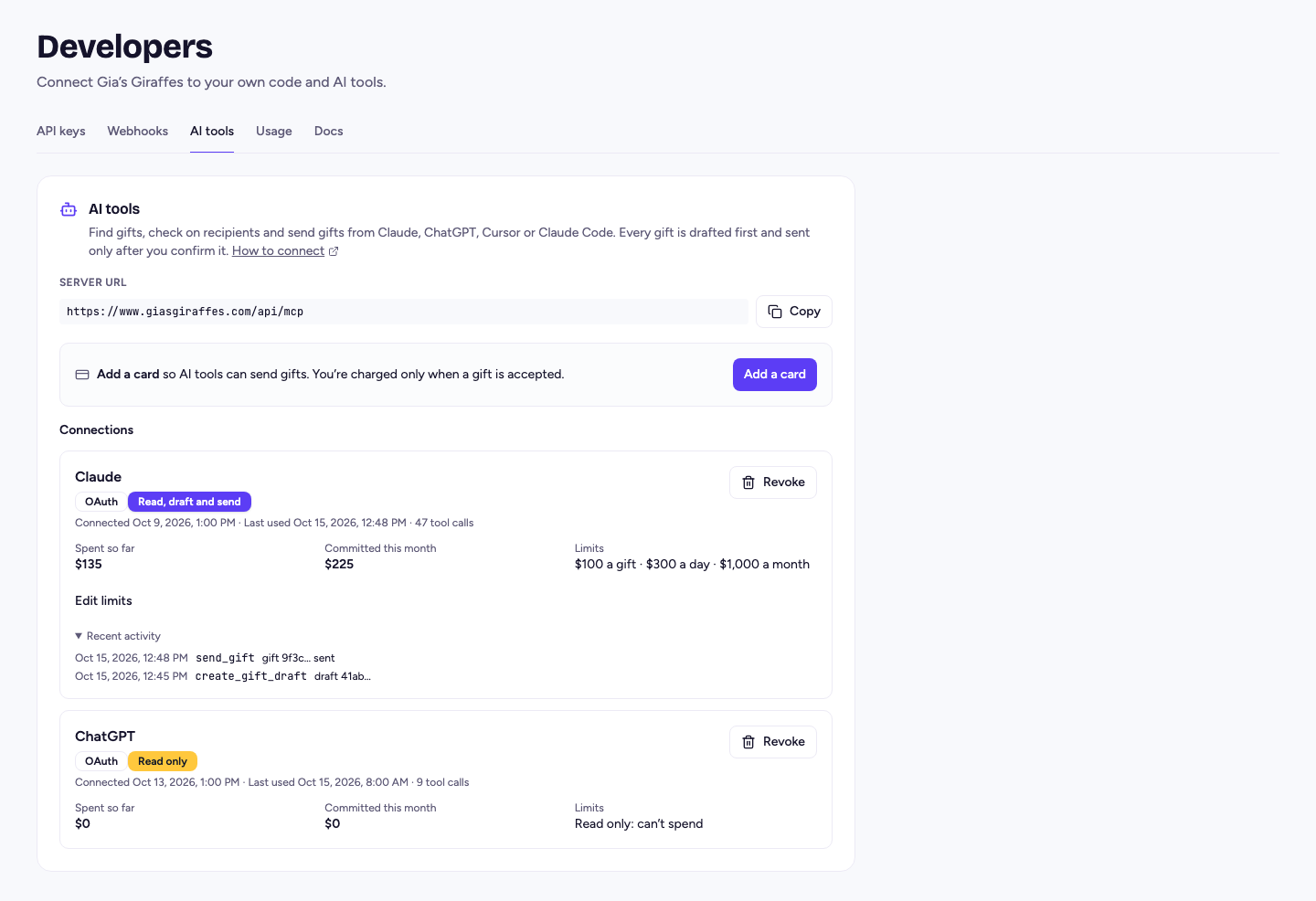
Revoke the connection in Settings → Developers → AI tools. It stops at once.
Gift from ChatGPT
Start free. Integrations and AI tools are part of Gia’s Giraffes Pro, and you only pay for gifts that are accepted.