
Gia’s Giraffes for Claude
Find a gift, draft it, approve it, and we ship it, from Claude.
What it does in Claude
Send real gifts from your AI assistant. With the Gia’s Giraffes connector, Claude can find a gift, draft it and send it once you say yes. Recipients never see a price, and your spending limits always apply.
- Find gifts: search the catalog by budget, occasion and category, and see what’s inside, how fast it ships and what you’d pay if accepted.
- Know who’s who: search your contacts, see what you’ve sent someone before, and list upcoming birthdays, anniversaries and meetings from a connected Google or Outlook calendar.
- Send gifts safely: every gift is drafted first and shown to you as a full summary. Nothing sends until you confirm it.
- Create GG Links, and check on gifts and spend: sent, opened, accepted, shipped, delivered, and what your gifting cost over a period.
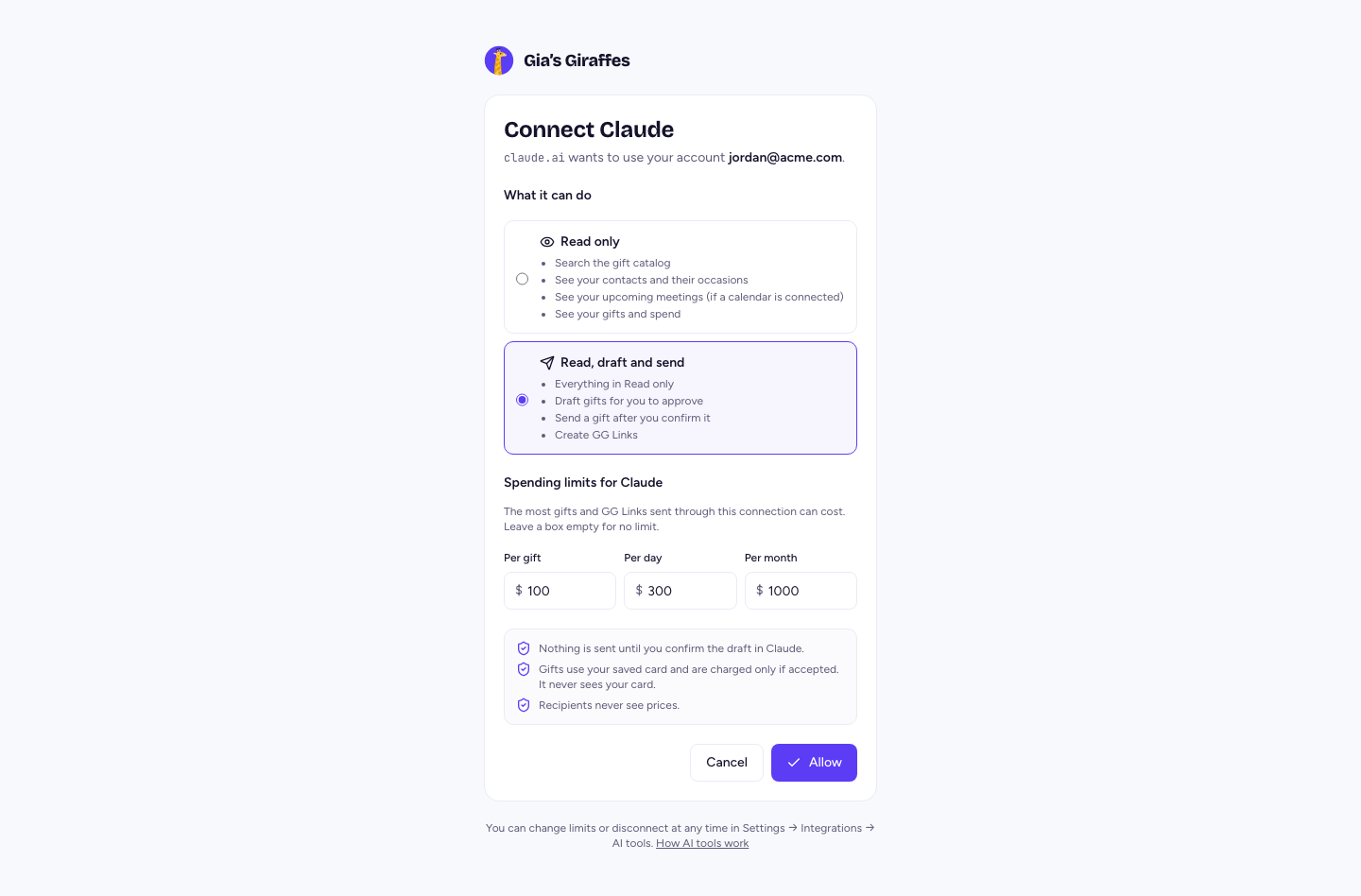
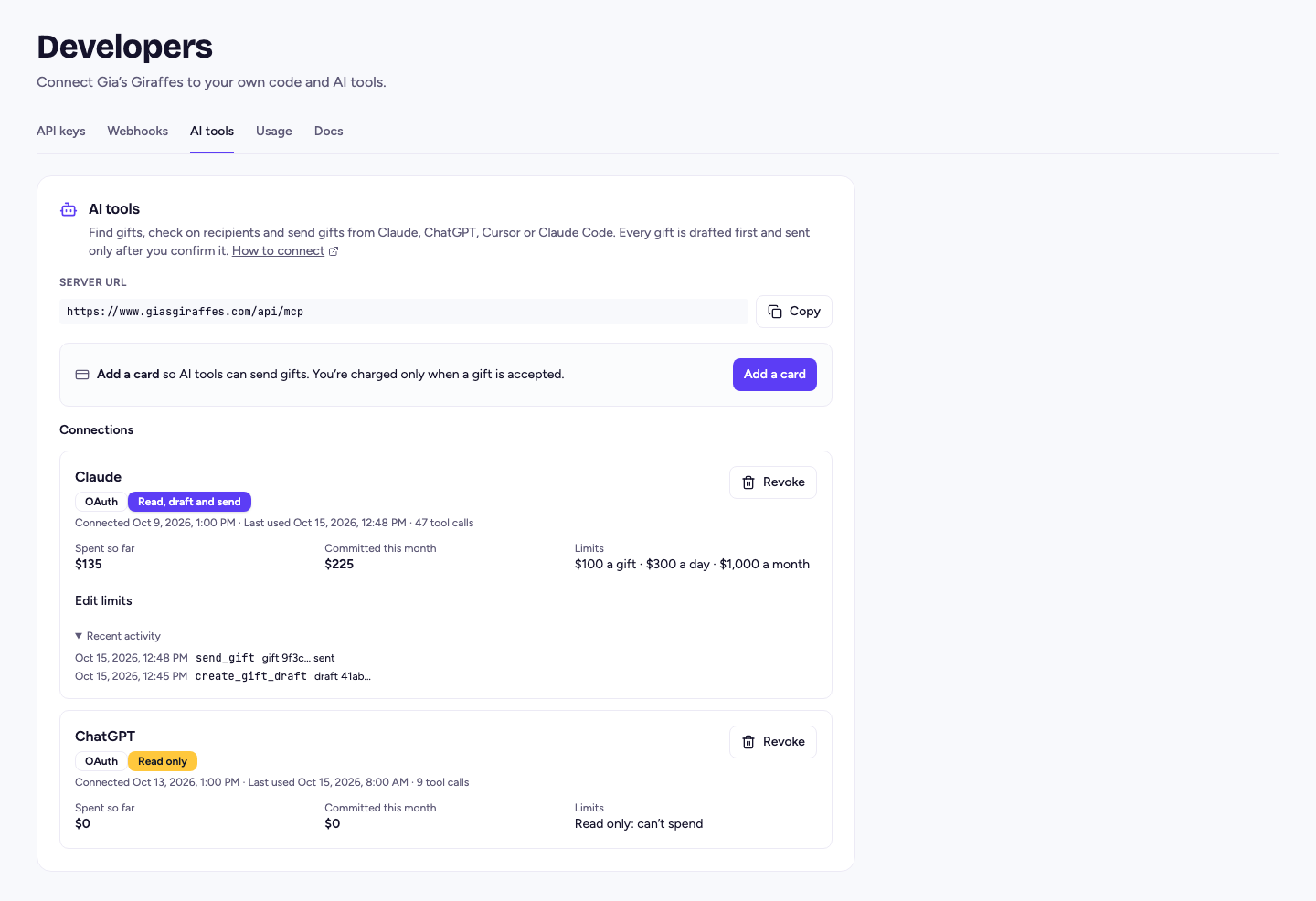
- Spending limits per gift, per day and per month, read-only connections, and a full tool-call log in Settings. No access to card details, recipient addresses or tracking.
Connect Claude (desktop and web)
Add it to Claude as a custom connector now. Our listing in Anthropic’s Connectors Directory is in review.
- In Claude, open Customize → Connectors (in the desktop app, look for Connectors under Settings).
- Choose Add custom connector.
- Name it Gia’s Giraffes and paste the server URL:
https://www.giasgiraffes.com/api/mcp. Leave any OAuth client ID and secret fields empty. - Choose Connect. Sign in to Gia’s Giraffes on our consent screen, choose what Claude can do and its spending limits, and choose Allow.
AI tools are part of Gia’s Giraffes Pro. Sending gifts needs a saved card; you’re charged only when a gift is accepted.
Pro is $19.99 per user per month.
Start with a 14-day free trial. The gifts you send are priced separately, all-in.
Claude questions
Can Claude send a gift without asking me?
No. Every gift is drafted first and shown to you as a summary: recipient, gift or budget, note, the most it can cost and the card. It goes out only after you confirm.
What are the default spending limits?
$100 per gift, $300 a day and $1,000 a month for each connection. You set them on the consent screen and can change them in Settings → Developers → AI tools.
Does it work with Claude Code, ChatGPT or Cursor?
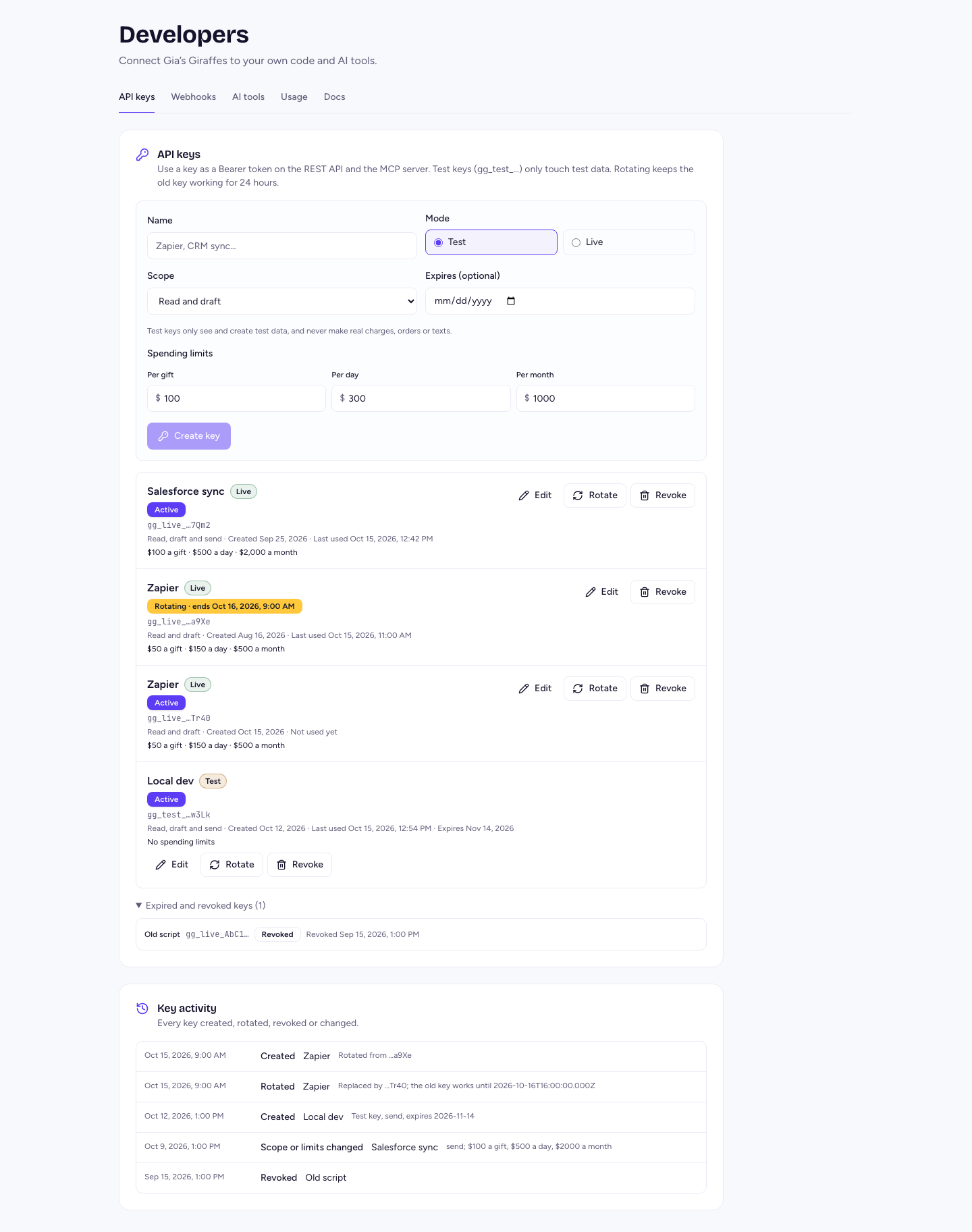
Yes. It’s a standard MCP server, so other MCP clients connect too, by signing in or with an API key.
How do I disconnect?
Revoke the connection in Settings → Developers → AI tools. It stops at once.
Gift from Claude
Start free. Integrations and AI tools are part of Gia’s Giraffes Pro, and you only pay for gifts that are accepted.