
Gia’s Giraffes for Gmail
See who you’ve gifted, send a gift, and drop a one-time GG Link into any email.
What it does in Gmail
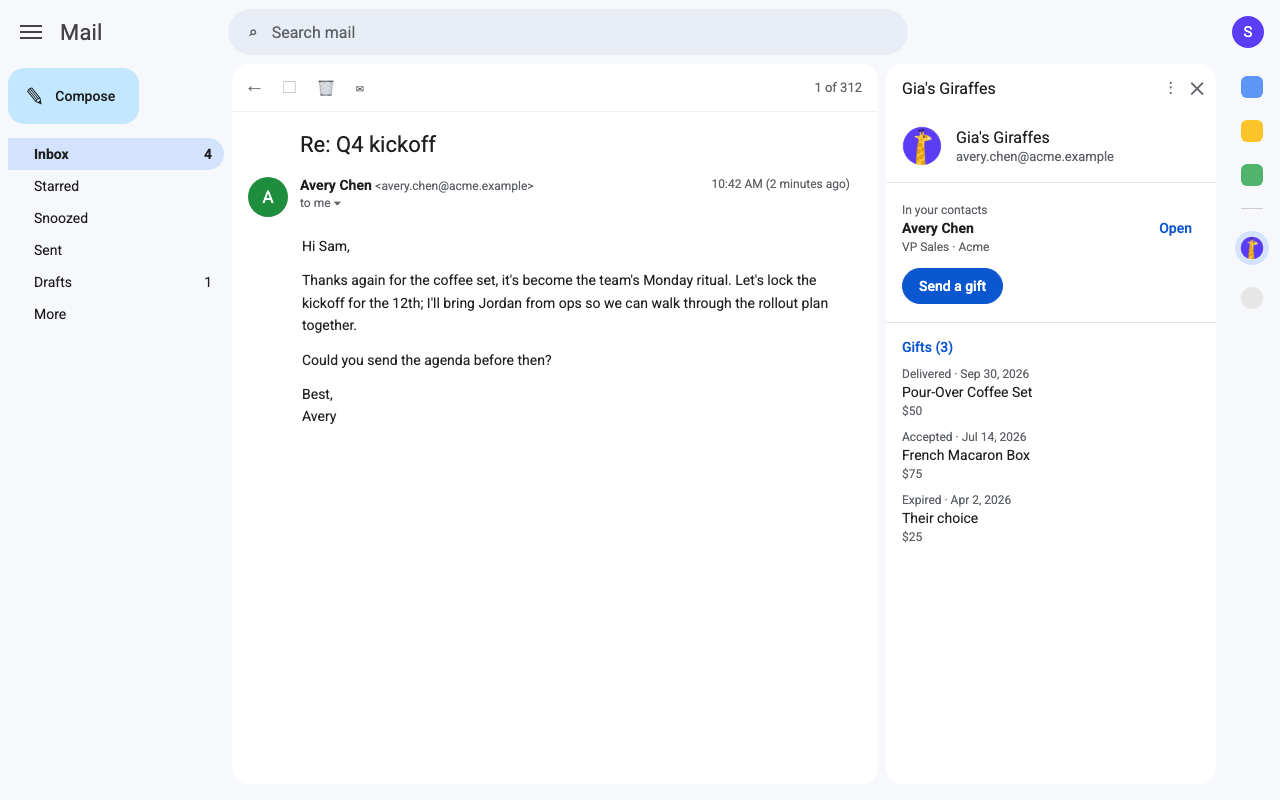
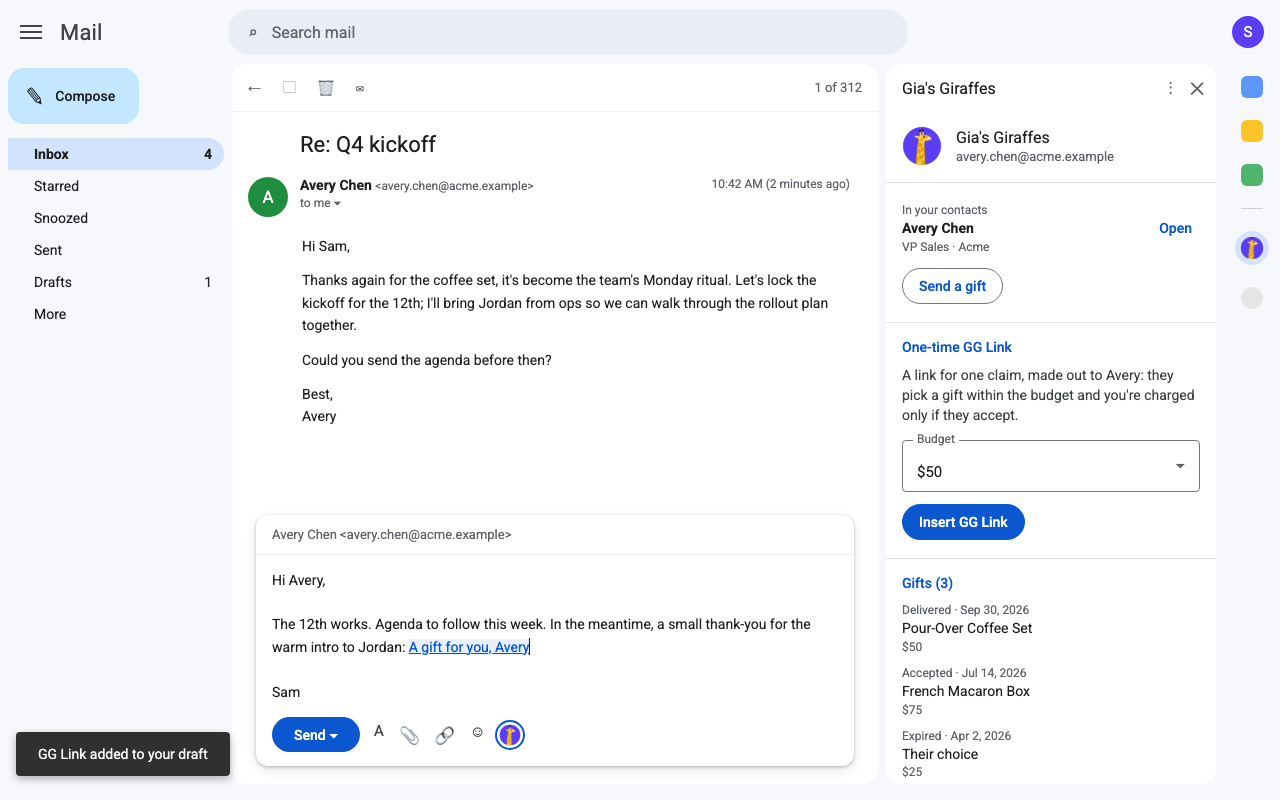
The Gia’s Giraffes add-on puts gifting next to your email. Open a message and the side panel shows who it’s from in Gia’s Giraffes; start a reply and put a gift link straight into it.
- On any email: whether the person is in your Gia’s Giraffes contacts, with their title and company.
- Your latest gifts to them and where each one is: sent, opened, accepted, shipped, delivered.
- Send a gift: opens Gia’s Giraffes with their name and email already filled in.
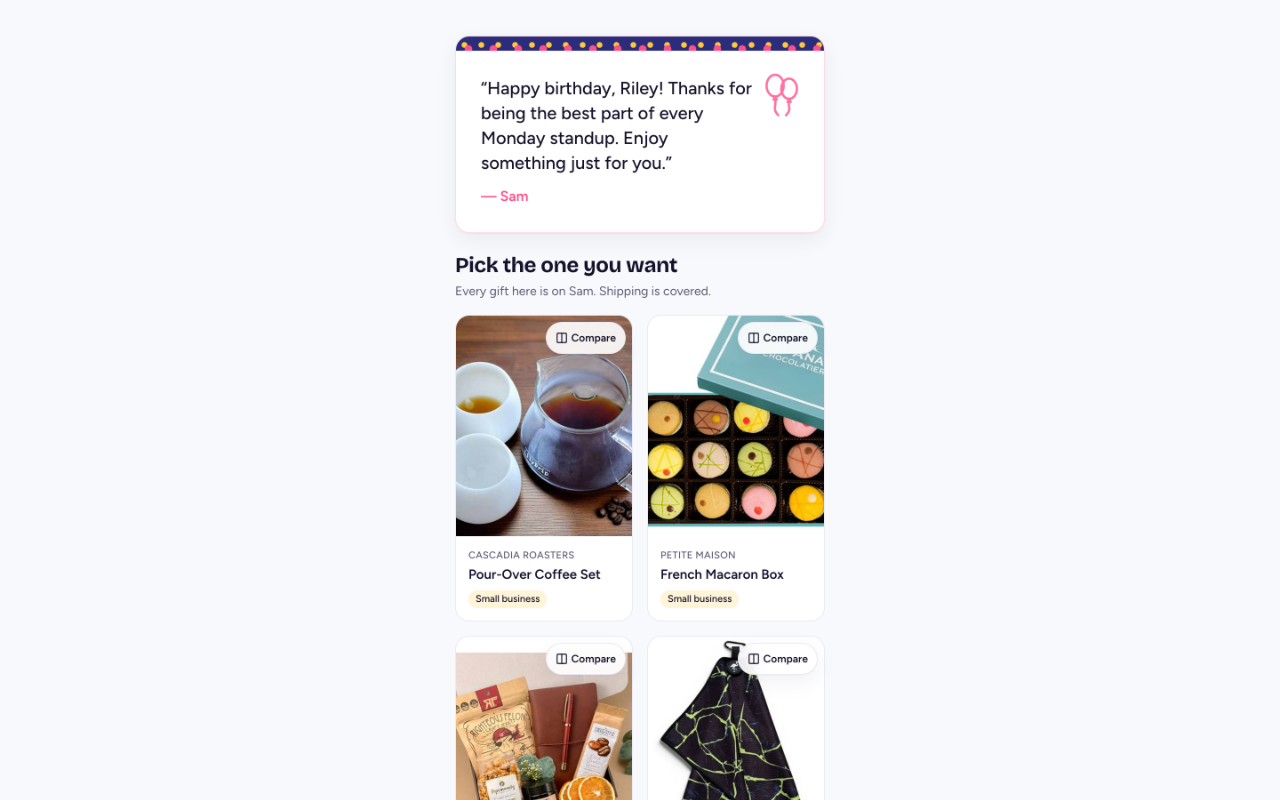
- While you write: choose a budget and Insert GG Link puts a one-claim GG Link, made out to that person, at your cursor. They pick a gift within the budget and enter their own address.
- It reads only the sender and recipients of the email you have open. Never message bodies, attachments or other email, and it can’t send email for you.
Install and connect
Install it from the Google Workspace Marketplace. It works in Gmail on the web and reads only the email you have open.
- Install Gia’s Giraffes from the Google Workspace Marketplace (on a Google Workspace account, your admin can install it for you).
- In Gmail, open any email and click the Gia’s Giraffes icon in the right-hand side panel.
- Google asks to let the add-on run in Gmail, read the sender and recipients of the email you have open, add content to drafts, and see your email address. Click Allow.
- Click Connect Gia’s Giraffes, sign in if you need to, check the Gmail address shown is yours, and click Connect.
- Close the window. The add-on reloads with the person from the open email.
The add-on is part of Pro. Inserting a GG Link needs a saved card; you’re charged only if they accept.
Pro is $19.99 per user per month.
Start with a 14-day free trial. The gifts you send are priced separately, all-in.
Gmail questions
Does the add-on read my email?
Only the From, To and Cc of the email you have open, while it’s open. It never reads message bodies, attachments or any other email, and it can’t send email for you.
When am I charged for a GG Link?
Only if the person accepts the gift. Each link works once, for one person, and counts toward the add-on’s spending limits: $100 per link, $300 a day and $1,000 a month by default, which you can change in Settings → Developers → AI tools.
How do I disconnect it?
Open the add-on with no email selected and click Disconnect, or revoke “Gmail add-on” in Gia’s Giraffes under Settings → Developers → AI tools. GG Links it created keep working until you end them.
Which plan do I need?
Gia’s Giraffes Pro. There’s a 14-day free trial.
Gift from Gmail
Start free. Integrations and AI tools are part of Gia’s Giraffes Pro, and you only pay for gifts that are accepted.