
Gia’s Giraffes for HubSpot
Send real gifts to HubSpot contacts and log every step on the timeline.
What it does in HubSpot
Gia’s Giraffes lets your reps send real gifts from independent brands to HubSpot contacts, and keeps HubSpot up to date on every one.
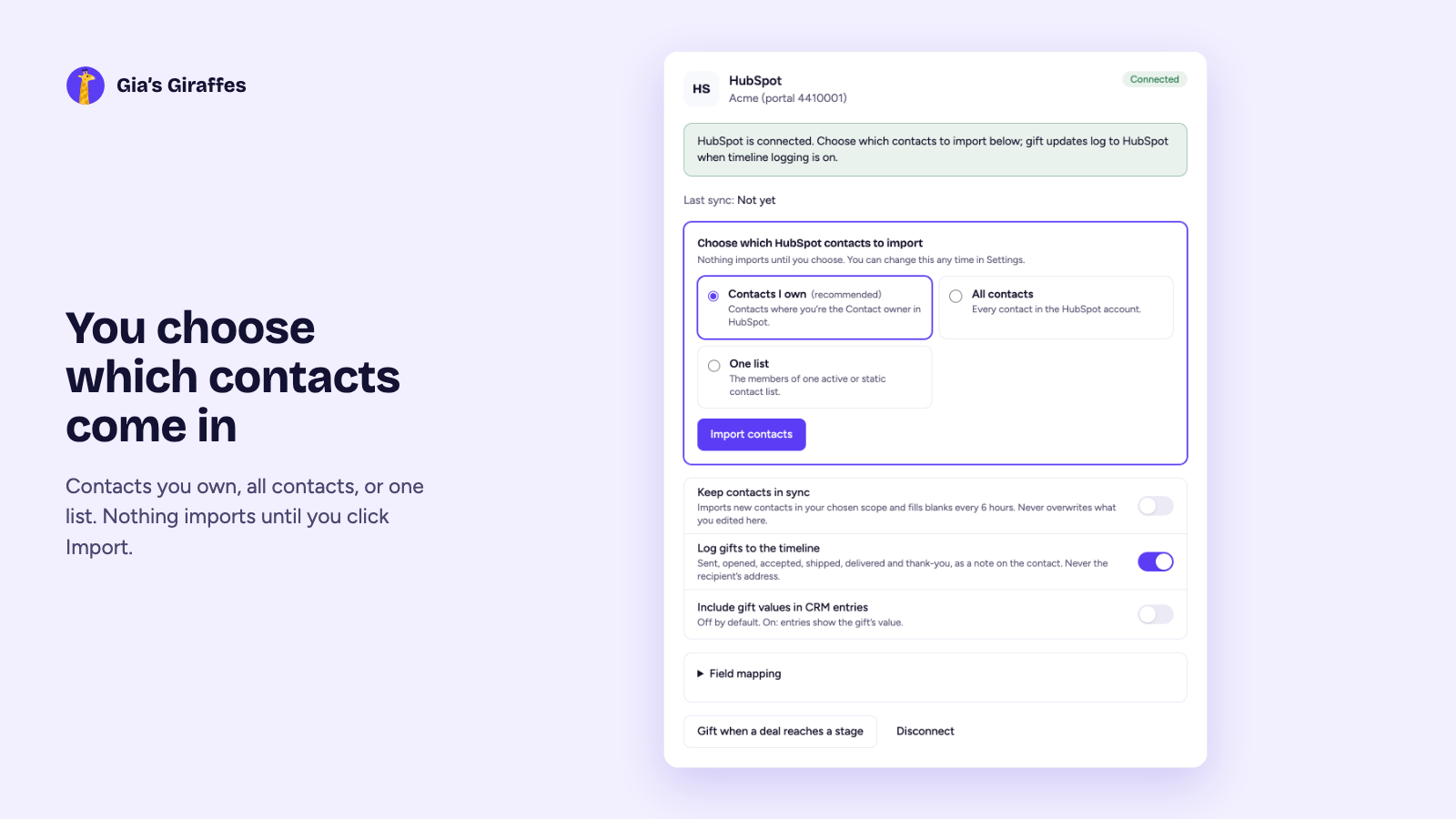
- Choose which contacts come in: the ones you own, all contacts, or one list. Optional sync every 6 hours fills blanks without overwriting your edits.
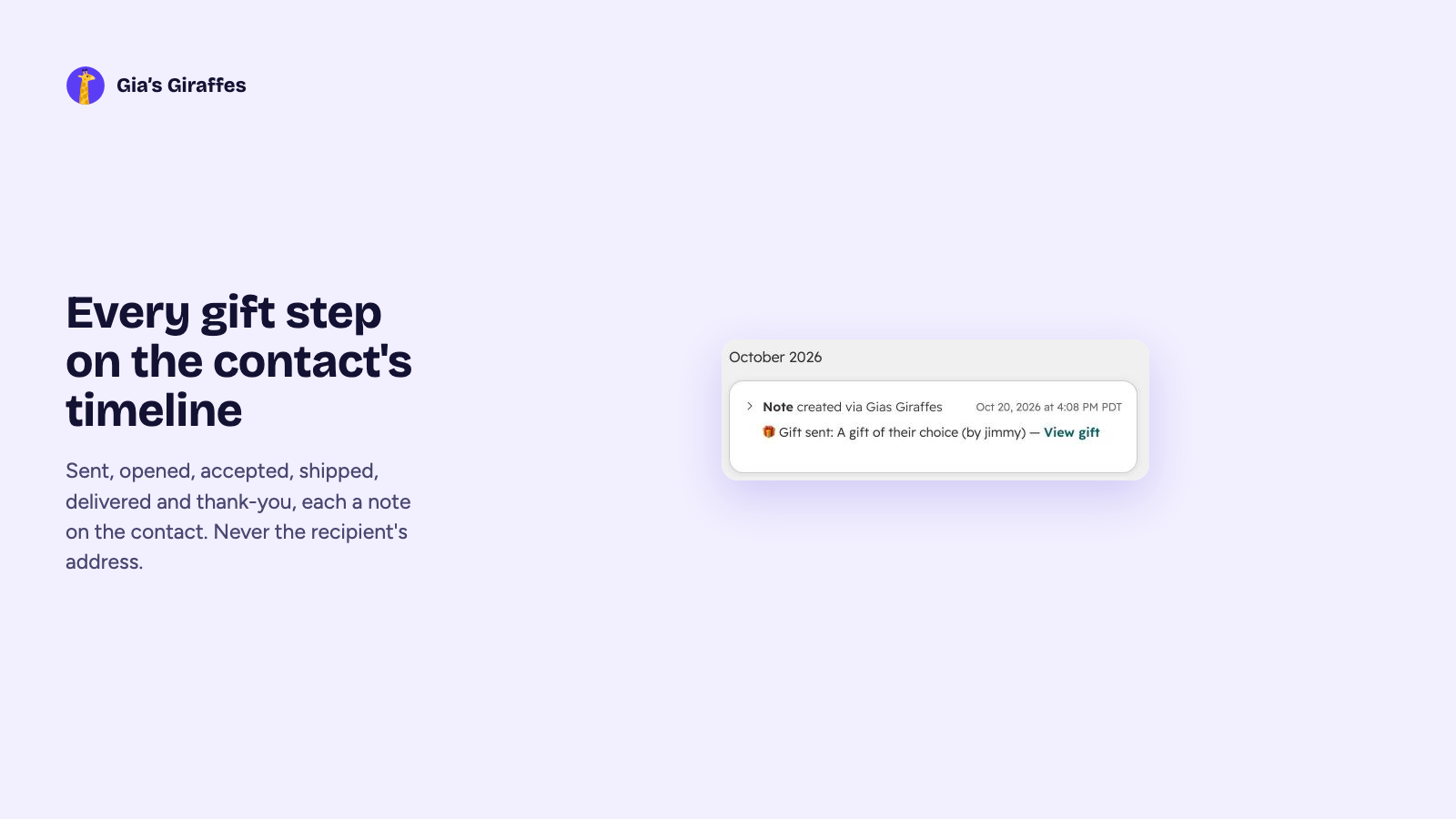
- Every gift step lands on the contact’s timeline as a note: sent, opened, accepted, shipped, delivered and thank-you.
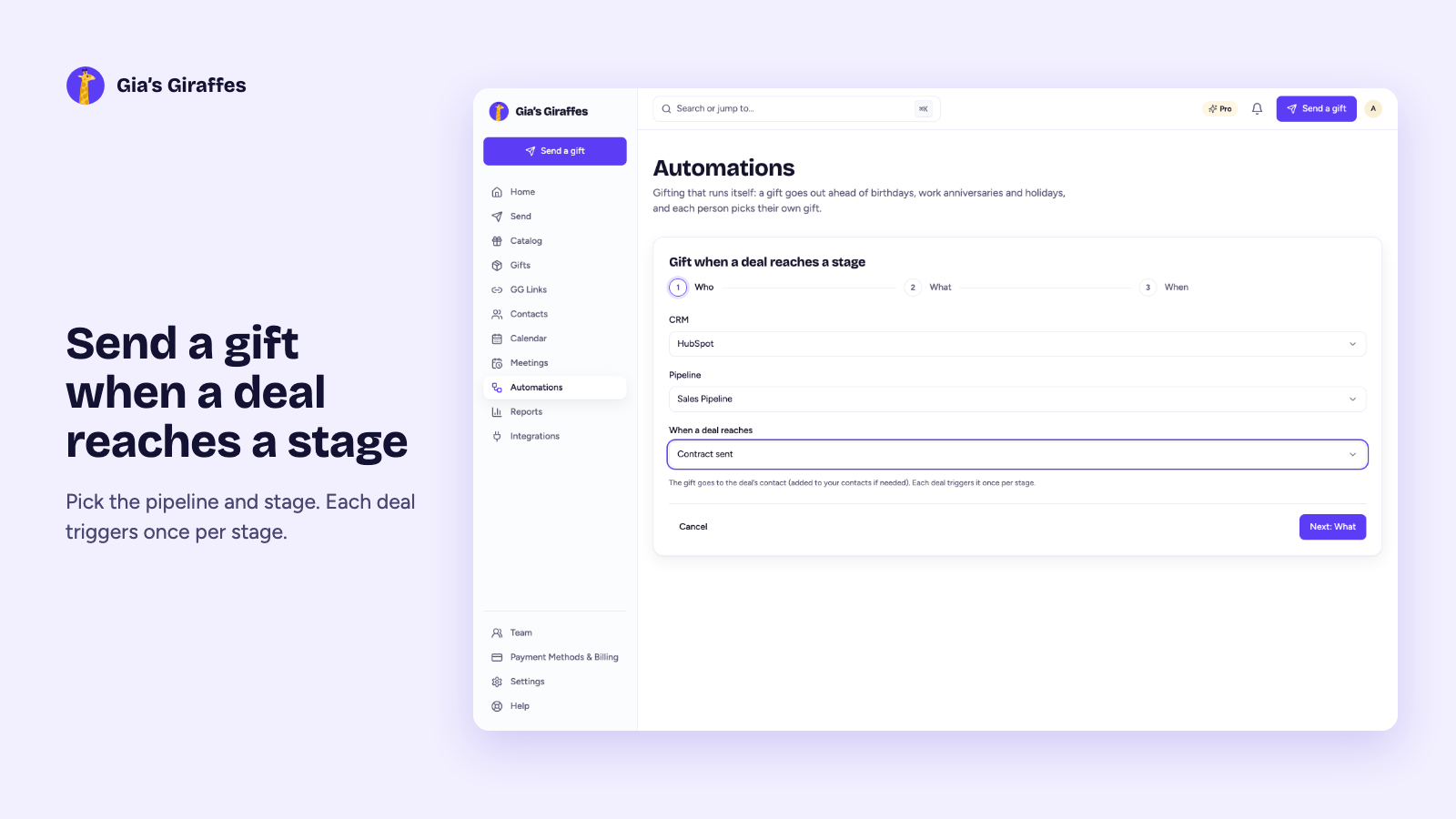
- Gift from your pipeline: pick a pipeline and stage, such as “Contract sent” or “Closed won”, and send a gift or a one-time GG Link to the deal’s contact. Each deal triggers once per stage. Approval is on by default: each gift waits for your OK, and you can switch that off for a rule.
- Ask the recipient to book a meeting on your HubSpot Meetings link before the gift ships.
- We never write the recipient’s address to HubSpot. Gift values are included only if you turn that on.
Connect HubSpot
There’s no HubSpot App Marketplace listing yet. You connect HubSpot from inside Gia’s Giraffes, in about two minutes.
- In Gia’s Giraffes, open Settings → Integrations and click Connect on the HubSpot tile.
- Sign in to HubSpot, pick the account and approve the permissions.
- Back in Settings, choose which contacts to import: Contacts I own (the default), All contacts, or One list. Then click Import contacts. Nothing imports until you do.
- Optional: click “Gift when a deal reaches a stage” on the HubSpot card to send a gift, or a one-time GG Link, when a deal moves.
You’ll need permission to install apps in your HubSpot account (a Super Admin, or a user with App Marketplace access). On a Gia’s Giraffes team, the owner or an admin connects HubSpot for everyone. Until our HubSpot Marketplace listing is approved, HubSpot shows a “not reviewed by HubSpot” notice when you connect; that’s expected.
Pro is $19.99 per user per month.
Start with a 14-day free trial. The gifts you send are priced separately, all-in.
HubSpot questions
What does it write to HubSpot?
One note on the contact per gift event (sent, opened, accepted, shipped, delivered, thank-you, meeting booked or canceled), and a new contact only when you send a gift to an email that isn’t in HubSpot yet. Existing contacts are never changed.
Can I approve each automated gift?
Yes. Approval is on by default: each gift waits for your OK, and you can switch that off for a rule. With it off, gifts go out on their own after a heads-up you can cancel.
Does the recipient see the price?
No. Not on the gift page, not in the scheduler, not in any email.
Which plan includes it?
HubSpot is part of Gia’s Giraffes Pro, with a 14-day free trial. You pay only for gifts that are accepted, with shipping and tax included.
Gift from HubSpot
Start free. Integrations and AI tools are part of Gia’s Giraffes Pro, and you only pay for gifts that are accepted.