
Gia’s Giraffes for Salesforce
Import Contacts, log each gift as a completed Task, and gift when an Opportunity moves.
What it does in Salesforce
Gia’s Giraffes works with Salesforce the same way as HubSpot, with gift events written as completed Tasks on the Contact, so they show in the activity timeline your team already uses.
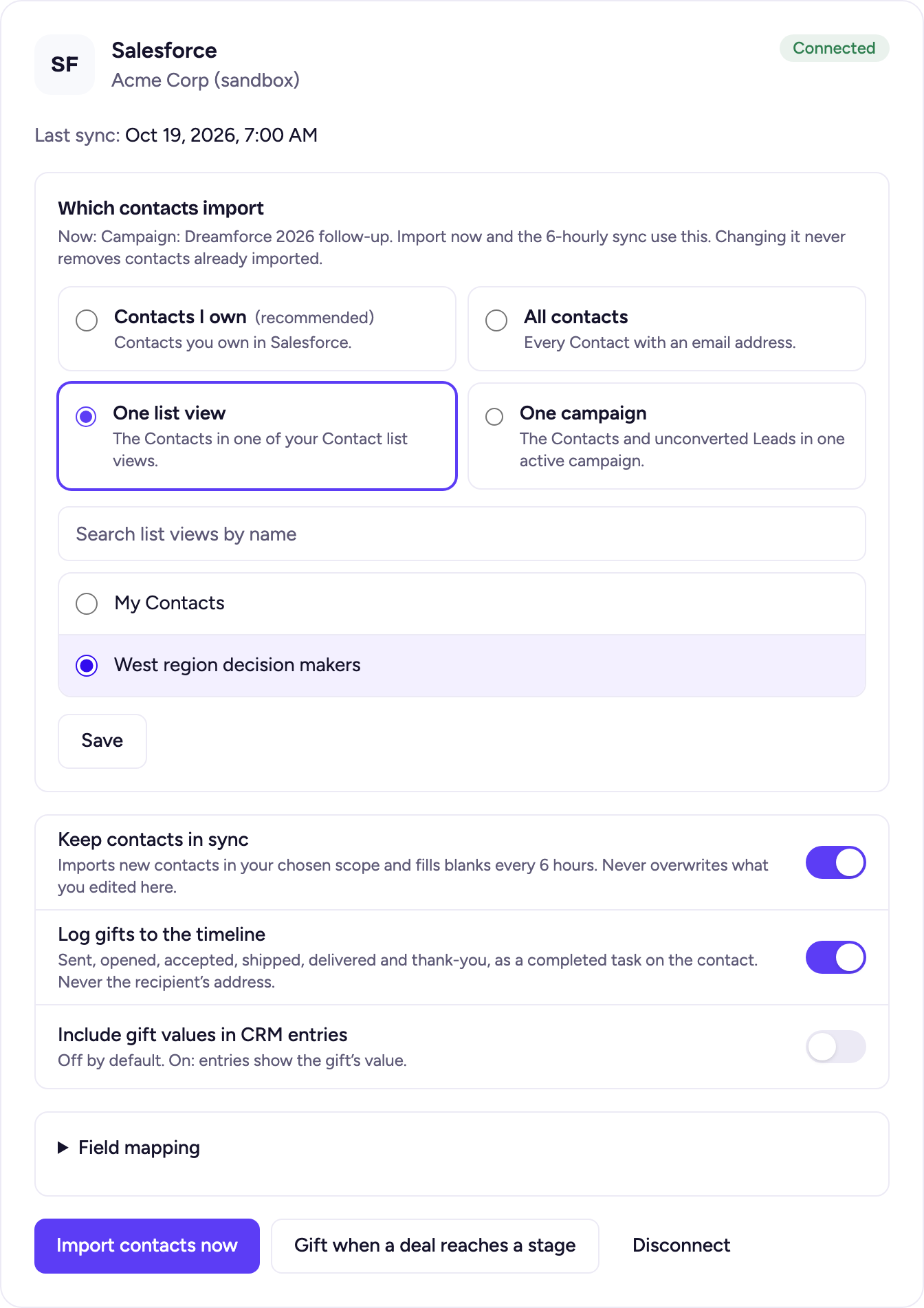
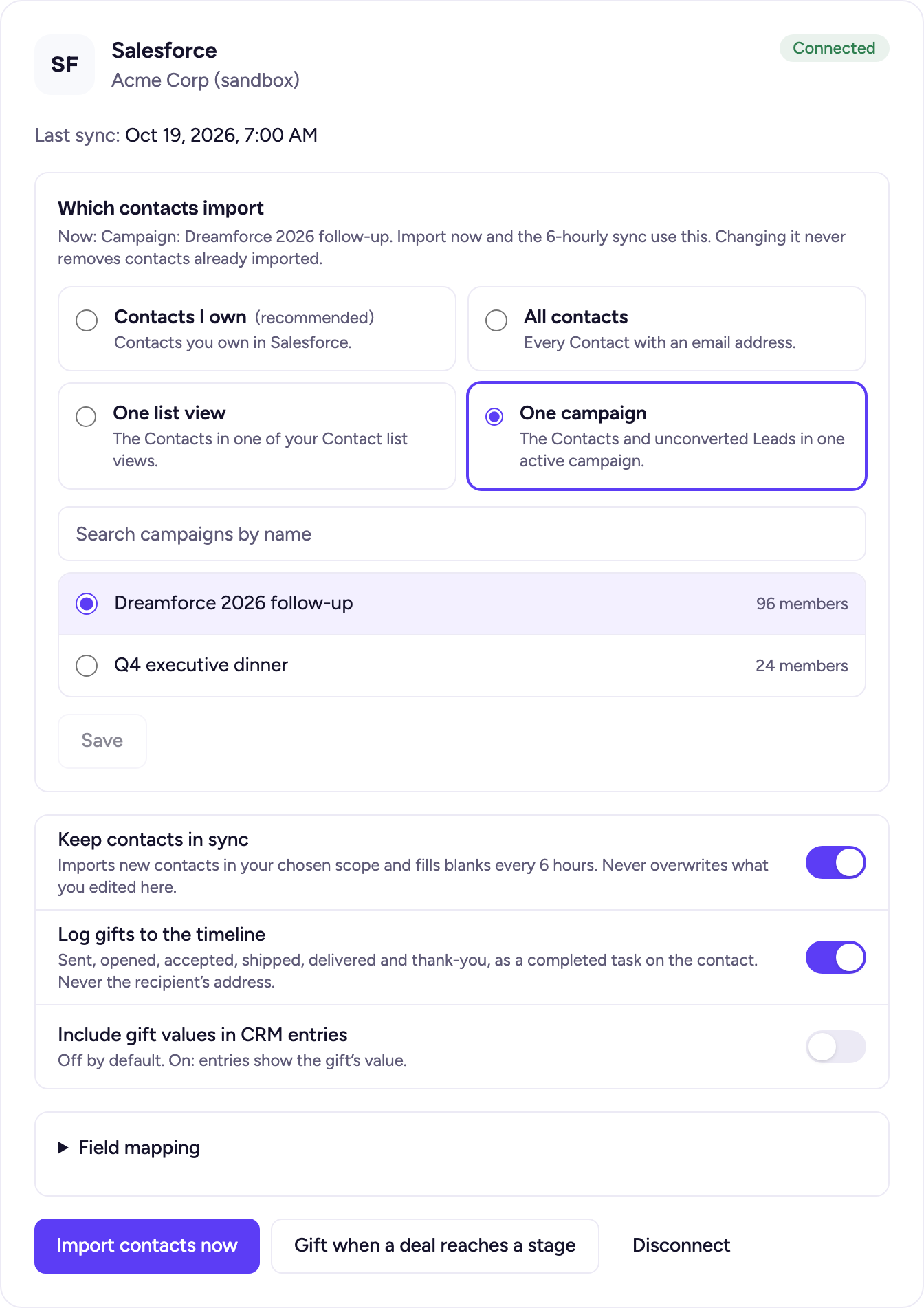
- Import the Contacts you choose, with their Accounts: the ones you own, all Contacts with an email, one list view, or one campaign.
- Keep contacts in sync every 6 hours. It fills blanks only.
- One completed Task per gift event on the Contact (or the Lead, if the person is still a Lead), within seconds.
- Send a gift, or a one-time GG Link, when an Opportunity reaches a stage. Stage changes are checked every 10 minutes. Approval is on by default: each gift waits for your OK, and you can switch that off for a rule.
- Never the recipient’s address, and the gift’s value only if the account owner turns it on.
Connect Salesforce
Gia’s Giraffes isn’t listed on Salesforce AppExchange. You connect from inside Gia’s Giraffes; your Salesforce admin installs our package in your org once.
- Your Salesforce admin installs the Gia’s Giraffes package in your org once, choosing Install for All Users. Ask us for the install link.
- In Gia’s Giraffes, open Settings → Integrations and click Connect on the Salesforce tile.
- Sign in to Salesforce and click Allow. The app asks for two permissions: manage data via APIs, and stay connected so it can keep syncing.
- Back in Settings, choose which contacts to import (Contacts I own, All contacts, One list view or One campaign), then click Import contacts.
- Optional: click “Gift when a deal reaches a stage” on the Salesforce card.
Salesforce works on any edition with API access. Professional edition needs the API add-on. Sandbox orgs aren’t offered yet.
Pro is $19.99 per user per month.
Start with a 14-day free trial. The gifts you send are priced separately, all-in.
Salesforce questions
Is it on AppExchange?
Not yet. Gia’s Giraffes connects through a package your admin installs from our install link, then each user connects in Settings → Integrations.
How fast does a deal-stage gift go out?
Salesforce stage changes are checked every 10 minutes, so a gift can take up to 10 minutes after an Opportunity moves.
Can I approve each automated gift?
Yes. Approval is on by default: each gift waits for your OK, and you can switch that off for a rule. With it off, gifts go out on their own after a heads-up you can cancel.
What if the connection expires?
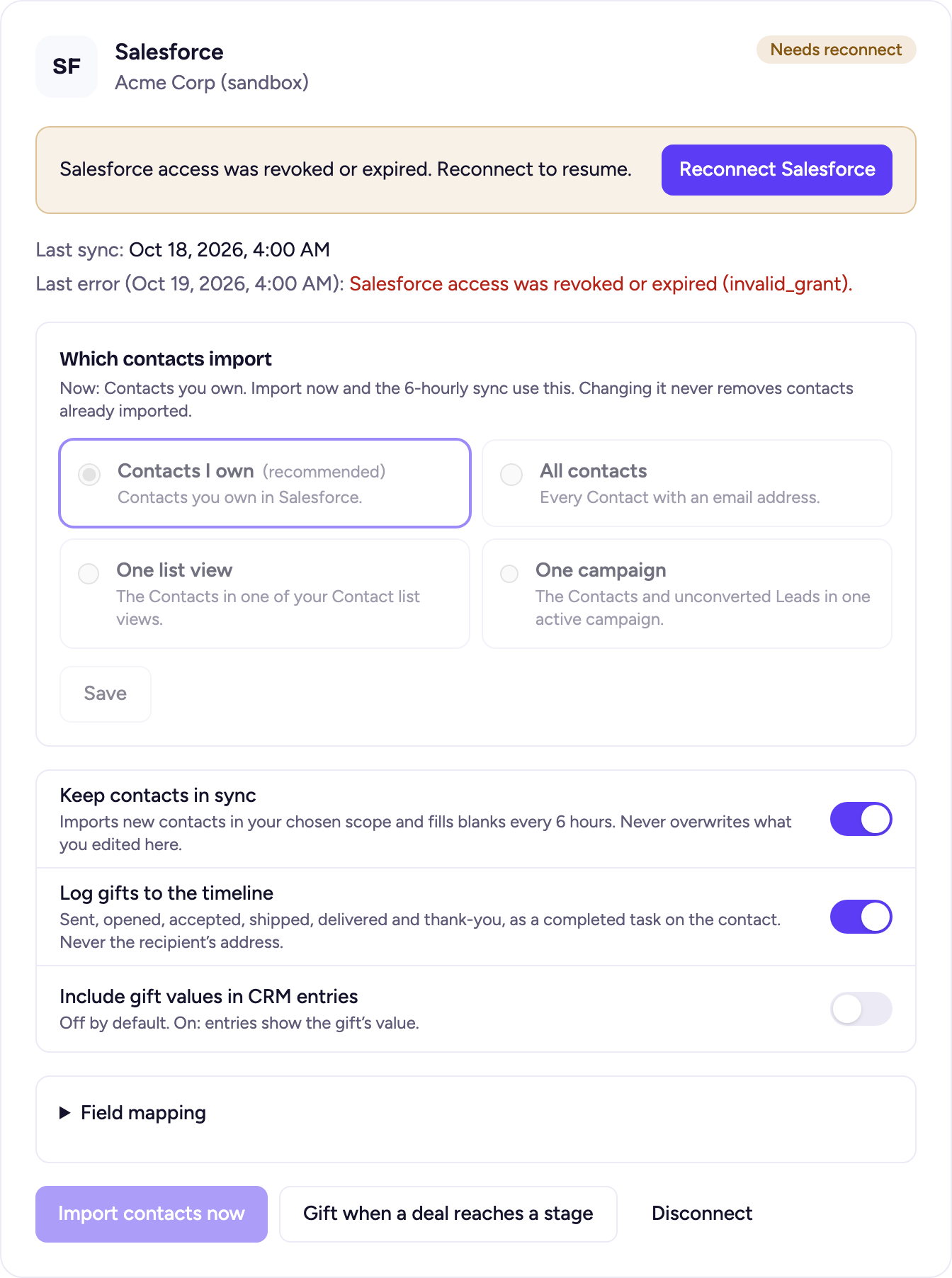
Salesforce revokes access when a password changes or an admin removes the app. The card shows Needs reconnect with the reason; click Reconnect Salesforce and sync resumes where it left off.
Which plan includes it?
Salesforce is part of Gia’s Giraffes Pro, with a 14-day free trial.
Gift from Salesforce
Start free. Integrations and AI tools are part of Gia’s Giraffes Pro, and you only pay for gifts that are accepted.